
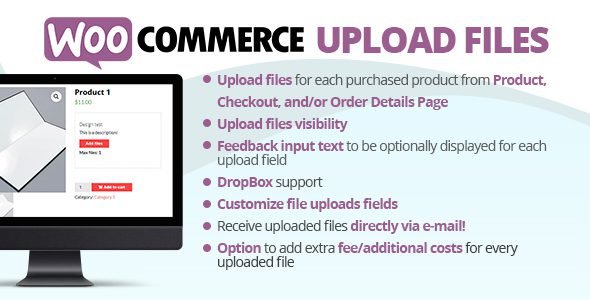

WooCommerce Upload Files
WooCommerce Upload Files is a powerful and versatile extension designed to let your customers upload files of any size and type directly from your product, cart, or checkout pages. This plugin eliminates the need for back-and-forth emails by allowing users to attach documents, images, or specific project requirements to their orders in real-time. Whether you need high-resolution artwork for a print shop or medical prescriptions for a pharmacy, WooCommerce Upload Files integrates a secure and organized file management system into your existing e-commerce workflow.
KEY BENEFITS
-
Streamlined Ordering Workflow: Save time and reduce manual communication by allowing customers to provide all necessary files during the purchase process.
-
Enhanced Customer Experience: Provide a professional interface where users can easily drag and drop files, see upload progress, and manage their attachments.
-
Optimized Server Performance: Keep your hosting fast by choosing to store uploaded files directly in the cloud via Google Drive or Dropbox integrations.
-
Total Control over Files: Protect your site by setting strict rules on file types, maximum dimensions, and file sizes to ensure you only receive the data you need.
FEATURES
-
Multiple Upload Locations: Enable file uploads on the single product page, the cart page, or the final checkout page to suit your business model.
-
Cloud Storage Integration: Automatically sync and store customer uploads to Google Drive or Dropbox to save local disk space.
-
Individual File Progress Bars: Visual feedback for customers during the upload process to ensure they know their files are being processed correctly.
-
Dynamic Upload Fields: Create unlimited upload fields and show or hide them based on specific products, categories, or user roles.
-
File Type & Size Restrictions: Limit uploads to specific formats (PDF, JPG, ZIP, etc.) and set minimum or maximum file sizes and image dimensions.
-
Image Preview & Editing: Allow customers to preview their images or even crop and rotate them before finalizing the upload.
-
Admin File Management: Easily view, download, or delete customer files directly from the WooCommerce order details page in your dashboard.
WHO SHOULD USE
-
Print-on-Demand Stores: Businesses requiring high-quality graphics, photos, or PDF designs from customers for custom printing.
-
Freelancers & Agencies: Service providers who need clients to upload project briefs, contracts, or branding assets during checkout.
-
Custom Gift Shops: Retailers selling personalized items like engraved jewelry or custom apparel that require user-provided images.
-
Professional Services: Accountants, lawyers, or medical professionals who need secure document uploads attached to service orders.

Reviews
There are no reviews yet.